Simple Access Authentication for Servers Inside and Outside Your Firewall
Comply with Security Standards, Including PCI DSS
The latest version of the Payment Card Industry Data Security Standard requires multi-factor authentication (MFA) for all administrator access into the cardholder data environment (CDE), even from within a trusted network. MFA also simplifies compliance with mandates concerned with data privacy, like HIPAA and GDPR. Powertech Multi-Factor Authentication allows you to implement MFA across your environment, including systems like IBM i. Robust auditing and reporting capabilities make it easy to prove compliance.
Enforce Risk-Driven Security Policies
Passwords alone aren’t enough for modern threats. Today’s attackers are adept at stealing login credentials, and 50 percent of users reuse passwords. With more employees working and logging into networks remotely, what organization can tolerate this level of risk? Powertech Multi-Factor Authentication adds an additional layer of security on top of your existing access protection controls, drastically reducing the amount of damage compromised passwords can cause.
Protect Access from Any Device and Location
End users are accessing your systems from their smartphones, home offices, and the corner office down the hall. No matter what device they’re using, Powertech Multi-Factor Authentication provides the assurance that users are who they say they are. And with multiple ways to verify user identities, the authentication process has the flexibility and reliability your users expect.
Simplify Identity and Access Management
Managing your users’ identities and their access to organizational resources is challenging but necessary. Powertech Multi-Factor Authentication is an MFA solution that makes the process simpler and more manageable. End users can quickly and easily confirm their identities before gaining the right level of access to the data and applications they need to do their jobs. Administration is centralized, so adding and removing users is easy and efficient. Powertech Multi-Factor Authentication can also integrate with your own products and processes, extending the security benefits of multi-factor authentication to the other programs you rely on.
Comprehensive Authentication Management
Powertech Multi-Factor Authentication is administered from the Fortra Insite web interface. The authentication manager is a powerful tool that makes it easy to configure multi-factor authentication to meet your organization’s needs.
Intuitive User Portal
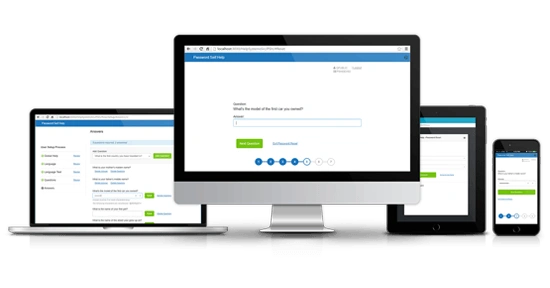
The self-service portal allows users to complete the Powertech Multi-Factor Authentication registration process. This easy-to-use portal is also where users maintain their authentication credentials and update their options.
In compliance with PCI DSS 8.2.2, which requires users to verify their identities before modifying any authentication credentials, users must verify their usernames and passwords before making changes to their accounts.
Multiple Authentication Methods
Powertech Multi-Factor Authentication allows administrators to select from several different methods of authentication for your users’ convenience and to meet your organization’s security requirements including:
- YubiKey integration
- One-time password generation
- Push notifications
- Biometric fingerprint scanning
Complete Audit Trail
Audit and report on authentication attempts, user maintenance activity (user registrations, mobile app registrations, one-time password updates), and user information (disabled users, users who haven’t completed registration). Administrators can enable or disable all types of auditing and determine how long to retain data.
Centralised Administration
Powertech Multi-Factor Authentication’s administration is centralized to simplify deployment and minimize the burden on IT. The authentication manager can be configured to automatically disable both inactive users and profiles where a hack attack is suspected. Administrators can also manage groups of users, rather than just individuals.
No Custom Coding Required
Powertech Multi-Factor Authentication’s administration is centralized to simplify deployment and minimize the burden on IT. The authentication manager can be configured to automatically disable both inactive users and profiles where a hack attack is suspected. Administrators can also manage groups of users, rather than just individuals.
High Availability
Users have the ability to authenticate 24/7. If the authentication manager is unavailable for some reason, such as scheduled maintenance or a hardware fault, an alternative authentication manager will be available to process users’ authentication attempts.
API Integration
Integrate Powertech Multi-Factor Authentication with your own products and processes so that multi-factor authentication is invoked when a user calls that program or process. This extends Access Authenticator's security benefits to other programs your organization relies on.
RADIUS Integration
Powertech MFA supports the RADIUS protocol, which allows you to leverage your enterprise multi-factor authentication solution for IBM i.
When MFA RADIUS processing is activated, the authentication manager forwards credentials entered by the user to your RADIUS server. The credentials are validated, and returned to Powertech MFA’s IBM i agent via RADIUS.
Comply with Security Standards and Regulations
Implementing Multi-Factor Authentication to Comply with PCI DSS, HIPAA, and Other Mandates
With security threats on the rise, governments and industry groups are ramping up their efforts to prevent data breaches. Passwords alone have proven to be ineffective. Multi-factor authentication is a simple way to overcome the vulnerabilities associated with passwords.
By requiring two or more different credentials to authorize access to mission-critical data and applications, you drastically reduce the risk that a single bad password could lead to thousands of sensitive records being exposed.
Secure User Authentication Simplified
Passwords alone aren’t enough to protect your systems from modern threats, but passwords are still instrumental to identity and access management. Today’s user authentication best practices call for a strong password policy backed up by multi-factor authentication, but it doesn't have to be a drain on your IT staff.
On IBM i (AS/400, System i), there’s no better combination than Powertech Multi-Factor Authentication and Powertech Password Self Help for IBM i, the self-service password reset tool for IBM i users, for secure yet simple access management.